
Every set logged. Every week compared.
This is where the app started. Strength is built by beating last time and recovering before the next one, so the app keeps both in front of you: the number to beat today, and whether today should be a rest day.
A workout log that coaches the set
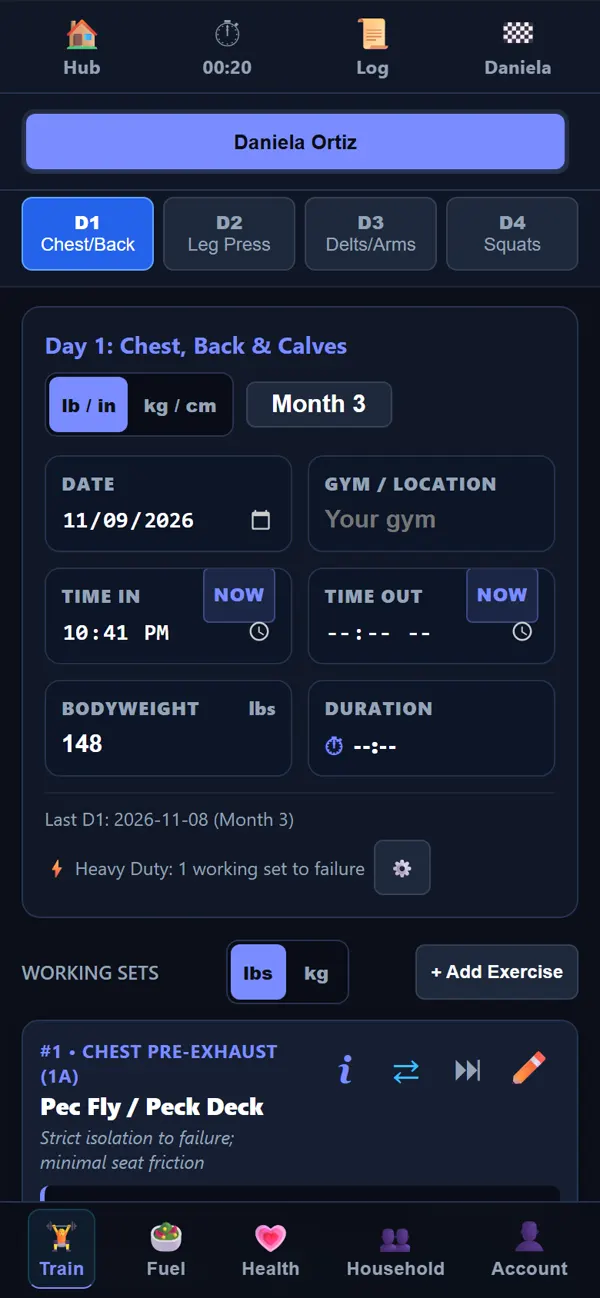
Open the day, and every exercise is there with its target reps and the weight you used last time. Log the set, and the next one is waiting.
- High-intensity training is built in: one working set taken to failure, then rest.
- Prefer more volume or intervals? Each style keeps its own routine, and you can edit any of them.
- Warm-up sets, guided sets and swap buttons when a machine is taken.
- Pounds or kilograms, switched with one tap on the screen you are using.
Rest is planned, not guessed
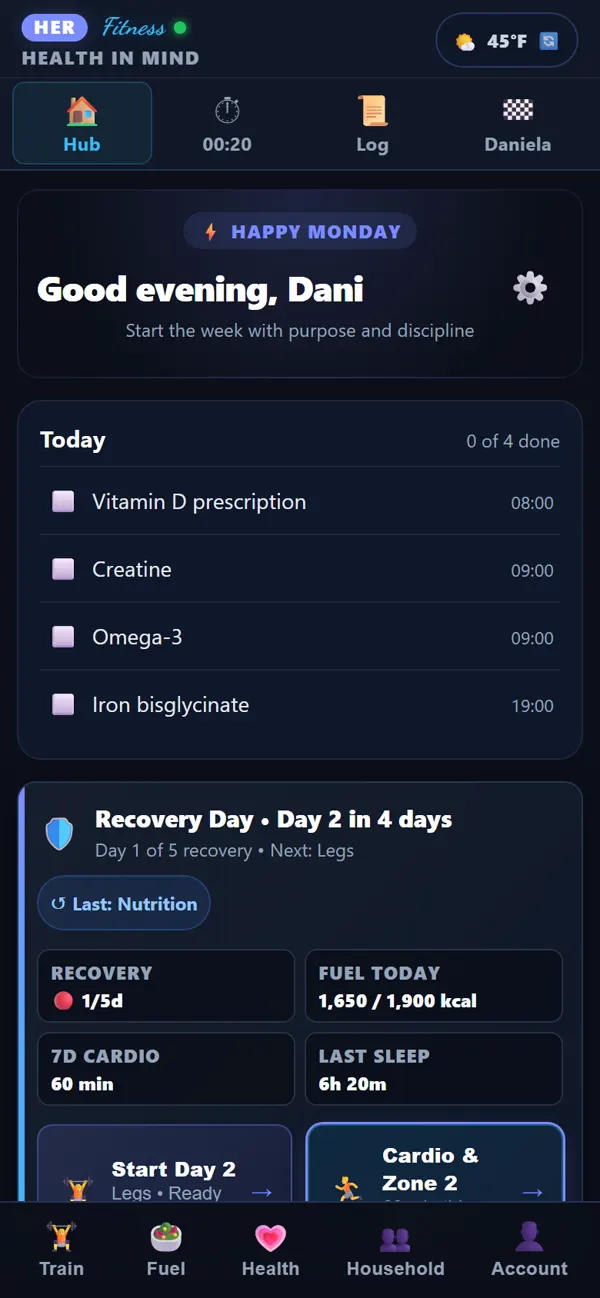
Training is the signal; recovery is where the results come from. After each session the app counts the recovery days before that muscle group is ready again, and shows it on the Hub next to last night's sleep and today's food.
- Start Day 2 when it is ready, not when the calendar says so.
- Sleep and food sit on the same screen, so a bad night explains a flat session.
- Time away from the gym is not failure. The plan picks up where you left it.
Cardio and walks, with or without GPS
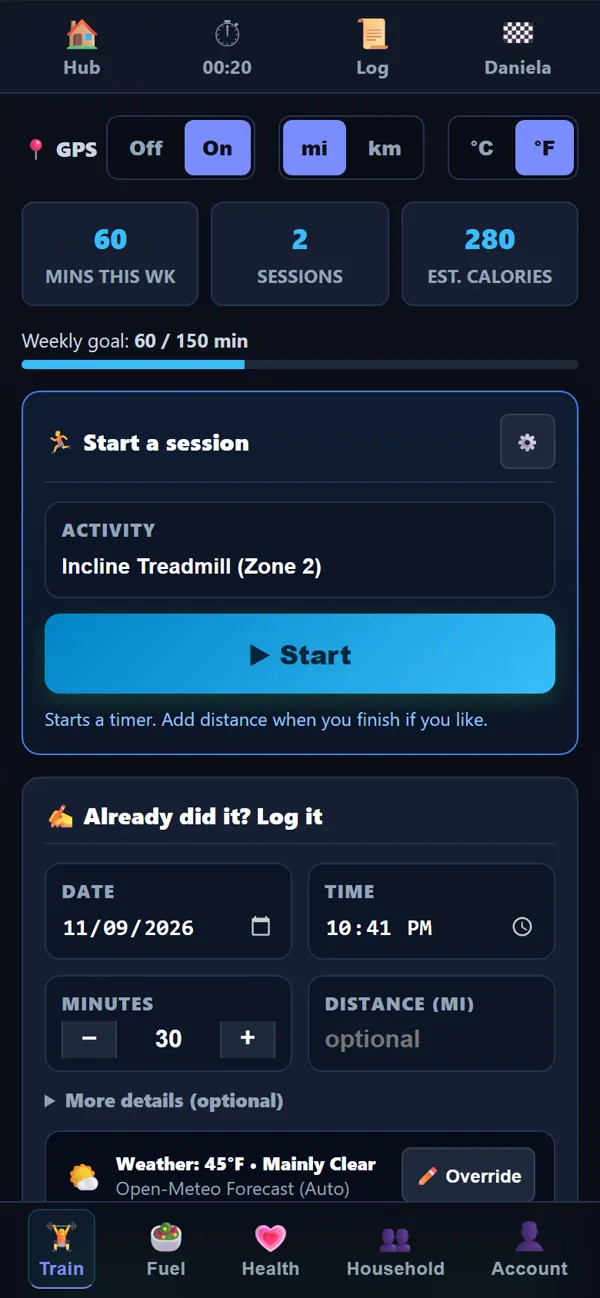
Cardio goes with training for heart health and conditioning. Start a timer, pick the activity and zone, and the minutes count toward a weekly goal.
- A weekly target (150 minutes by default) with what is left this week.
- GPS route and distance for walks and runs, drawn on a map when you finish.
- Phone in your pocket? Mark your spot at the start; the end point is taken when you tap Finish.
- Already did it? Log a past session with the date, time and distance.
Web apps can't follow GPS while the phone is locked, so the app tells you if part of a session was missed instead of guessing.
Sports, stretching and mobility
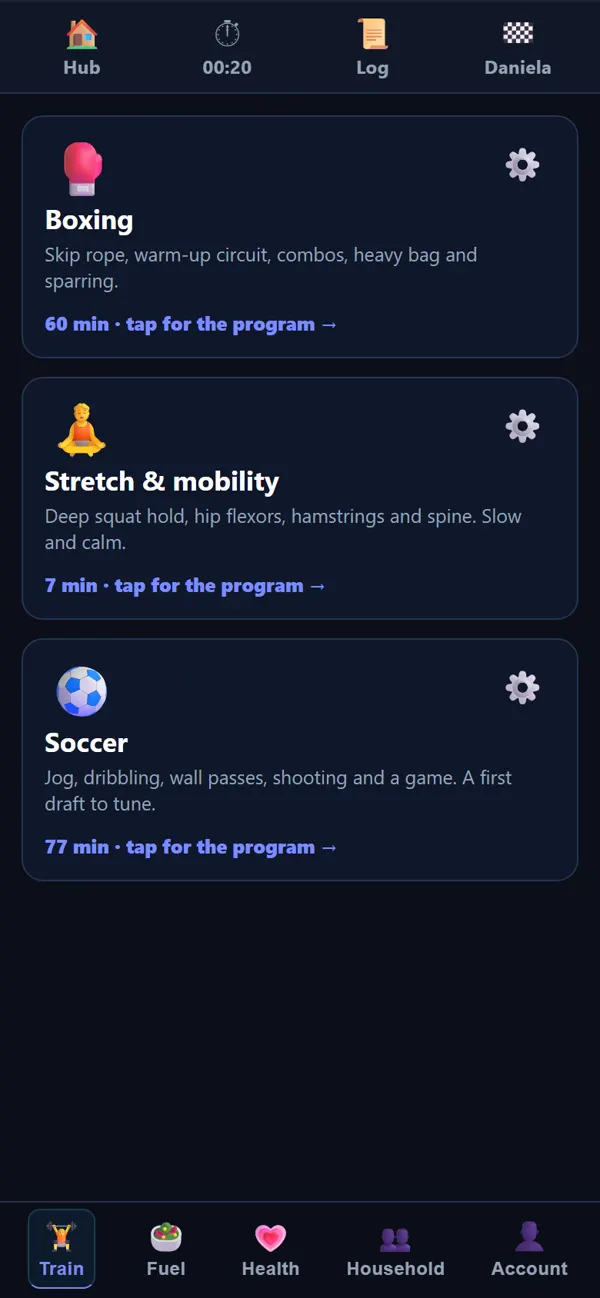
Not every session is in the weight room. Step-by-step programs walk you through each part with a timer.
- Boxing: skip rope, warm-up circuit, heavy bag and sparring.
- Stretch and mobility: hip flexors, hamstrings and spine, slow and calm.
- Soccer: jogging, dribbling, wall passes and shooting.
Physio and rehab that you actually do
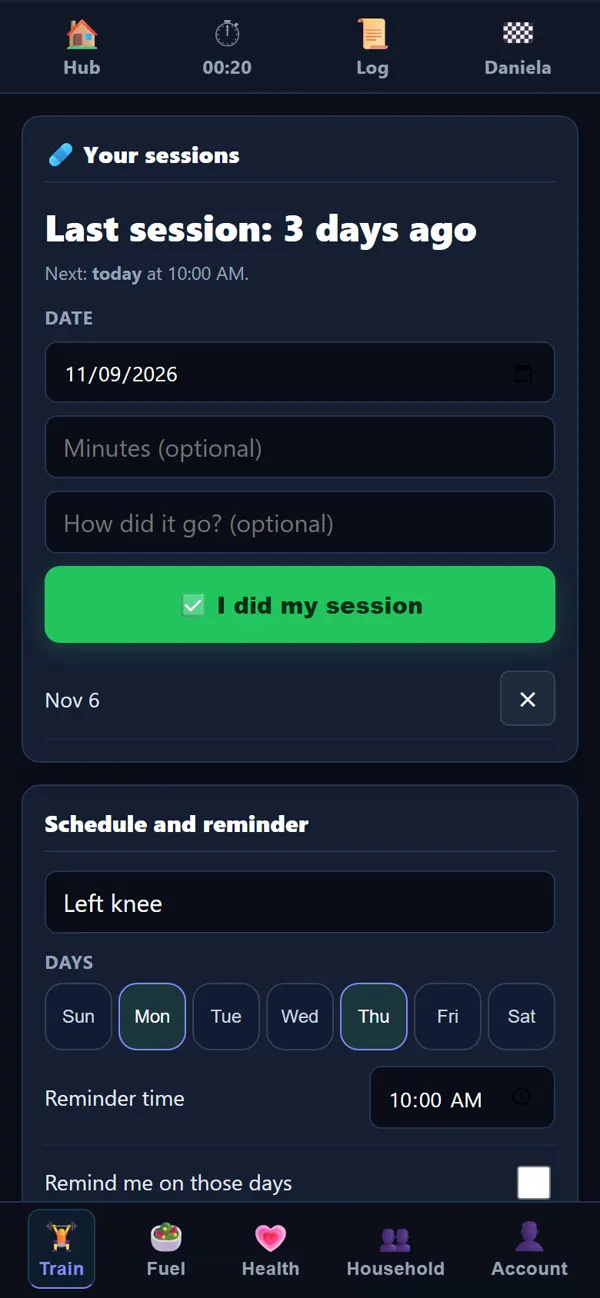
Rehab exercises only work if they get done. Set the focus area, the days and a reminder, and log each session in one tap.
- Days of the week and a reminder time.
- A record of every session, so you and your physiotherapist can see the pattern.
- Sits next to training, so a sore knee changes the plan instead of being ignored.
Proof that it is working
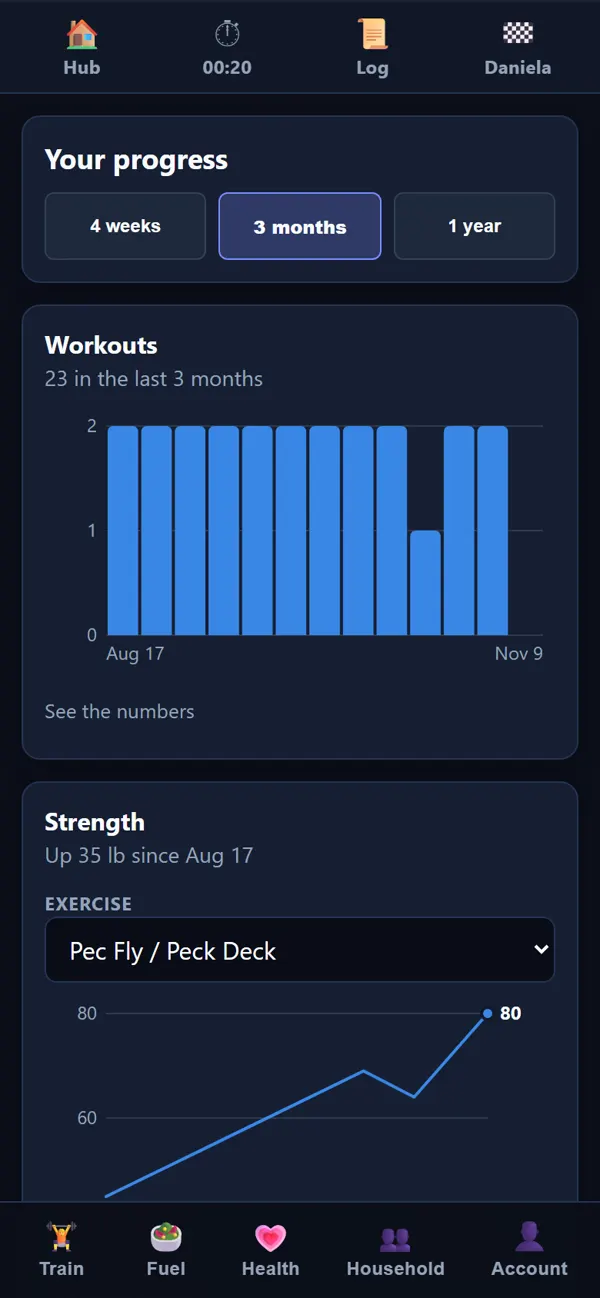
Charts for workouts, strength on each exercise, body weight, sleep, calories, protein, water, cardio and blood pressure, over four weeks, three months or a year.
- Tap any point to see that day's number.
- Every chart has its numbers as a table too.
- Strength is shown per exercise, so you see which lifts move and which have stalled.
How Train feeds the rest
- Sleep: a short night shows up next to the workout, so you know why the numbers dipped.
- Fuel: today's protein and calories are measured against the training you did.
- Health: blood pressure and labs show whether the training is helping beyond the mirror.
- Household: when life at home takes the time, the plan waits for you.
See it with your own numbers
Every request is read by a person. Have a referral code? Your account opens straight away.